@docslurp/cli
Upload a file. Watch it index. Search it from your terminal.
DocSlurp turns documents and media into a searchable workspace. Get cited passages for your application, export context for an LLM, or ask a grounded question without writing an integration first.
Quickstart · Scripting · Commands · Troubleshooting · Node SDK
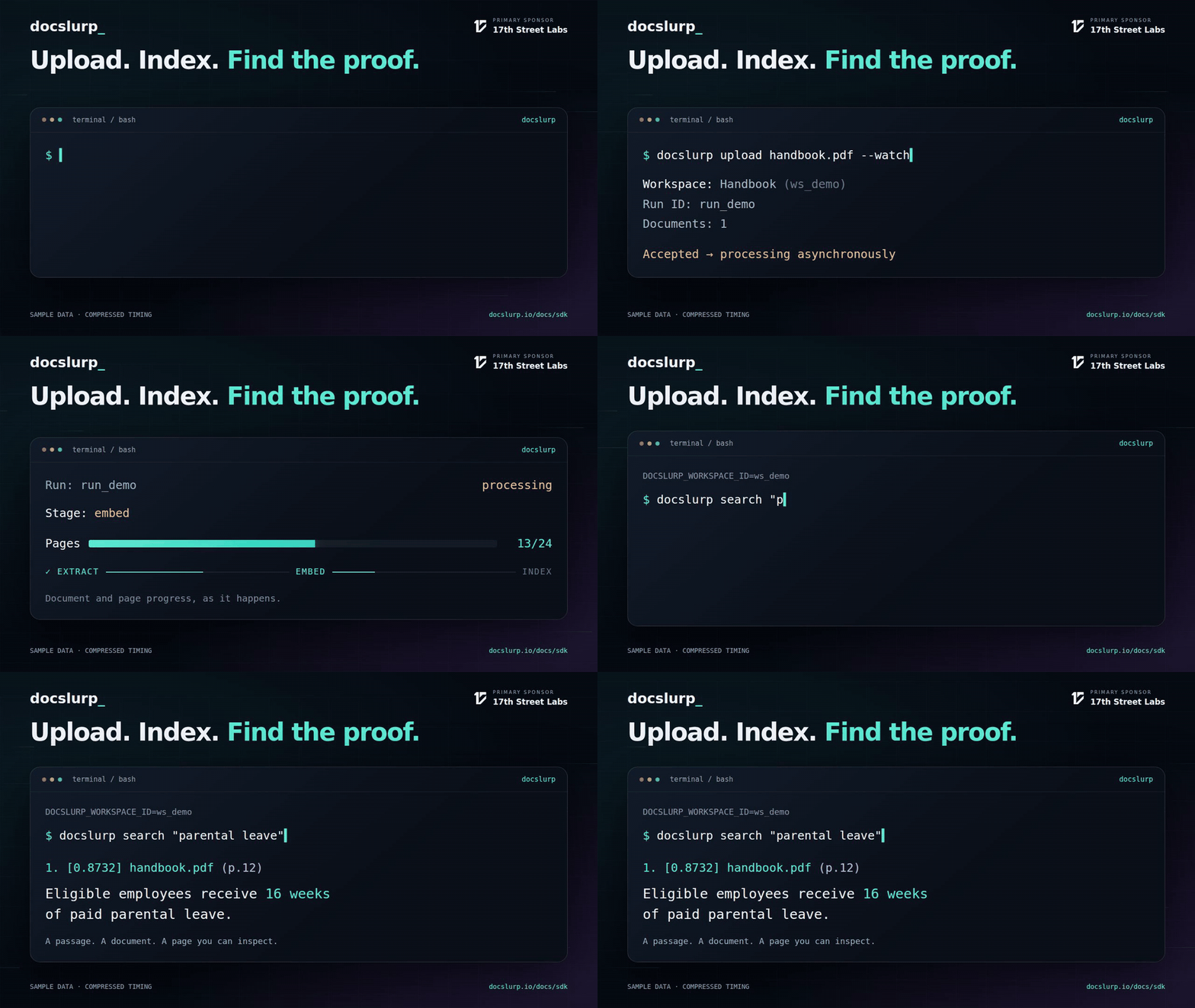
Five-second workflow illustration; sample data and compressed timing. Watch the 20-second walkthrough.
Your first search
Requires Node.js 22+. Create a server API key with ingest and search scopes. These commands use Bash/zsh; PowerShell users can set environment variables with $env:DOCSLURP_API_KEY = 'your-server-api-key'.
npm install --global @docslurp/cli
export DOCSLURP_API_KEY='your-server-api-key'

docslurp upload ./handbook.pdf --watch
Use your own file. The CLI prints the workspace ID, run ID, and document count, then watches processing. In an interactive terminal, document/page progress bars update in place. Redirected output contains successive text snapshots.
Copy the returned workspace ID once:
export DOCSLURP_WORKSPACE_ID='paste-the-returned-workspace-id'
docslurp search 'What is the parental leave policy?'
Illustrative output (your filenames, scores, pages, and passages will differ):
  1. [0.8732] handbook.pdf (p.12)
     Eligible employees receive 16 weeks of paid parental leave.
Keep the IDs. An upload starts asynchronous processing; --watch waits up to five minutes. If your terminal closes or the wait expires, resume observing the existing run:
docslurp status 'paste-the-returned-run-id' --watch --timeout 600A wait timeout does not cancel processing. Avoid re-uploading just because a watch timed out.
Build a corpus over time
With no workspace set, each upload creates a new one. Once you set DOCSLURP_WORKSPACE_ID, uploads append to it and search/chat use it automatically. Override it for one command with --workspace.
docslurp upload ./benefits.pdf ./onboarding.docx --watch --timeout 600
docslurp search 'benefits eligibility'
docslurp search 'retention policy' --workspace 'another-workspace-id'
To create a fresh workspace while a default is set, use docslurp upload ./manual.pdf --workspace '' --watch. Shell globs such as ./manuals/*.pdf work when expanded by your shell; the CLI accepts files, not a recursive directory import or stdin upload. Files use file-backed blobs, so the CLI does not copy every file into memory.
Built for shell workflows
Get full evidence for an LLM
docslurp search 'How do we escalate an incident?' --context > evidence.txtDefault search output previews the first 200 characters of each hit. --context writes full passages with numbered document/page citations. Treat this text as source evidence, never as instructions for your model.
Keep structured citations in your application
docslurp search 'How do we escalate an incident?' --json > evidence.json
# Optional: jq extracts just the fields your application needs.
jq '.results[] | {text, score, citation}' evidence.json
--json returns the API response on stdout, including availability and the search sessionId. Inspect availability before interpreting missing results: other uploads may still be indexing. A retrieval score is not a confidence percentage.
For a CI job that requires a complete corpus and at least one hit, use the runnable CI script. It checks both transport success and result readiness, with strict shell error handling and cleanup. The script requires jq; the CLI itself does not.
Retrieve several questions together
Create queries.json:
[
  "Who is eligible for parental leave?",
  { "q": "How much notice is required?", "filenameContains": "handbook", "limit": 3 }
]
docslurp search --queries-file queries.json --concurrency 2 --json > batch.jsonThe file accepts 1–20 query strings or search input objects. Objects can override workspaceId. Concurrency is 1–4, default 4. Results remain in input order; inspect each ok before reading data. A partial batch failure preserves successful output but exits nonzero. If running under set -e, handle that exit explicitly before reading the partial file.
Each query may incur embedding/AI charges. Batching limits concurrency; it does not eliminate per-query costs.
Ask a question, then continue the conversation
docslurp chat 'Summarize the leave policy and cite the handbook.'
# Copy the session ID printed on stderr:
docslurp chat 'Which exceptions apply?' --session 'returned-session-id'
Chat stdout contains the answer and sources. The session ID goes to stderr. To capture all fields, including availability, token usage, runtime, and session IDs:
docslurp chat 'Summarize the leave policy.' --json > answer.json
session_id="$(jq -r '.sessionId' answer.json)"
docslurp chat 'Which exceptions apply?' --session "$session_id" --json
Keep follow-ups sequential. Search retrieves evidence; chat additionally generates an answer. Chat output is not token-streamed by this CLI.
Command reference
Run docslurp with no arguments for built-in usage.
| Command | Purpose | Specific options |
|---|---|---|
upload <files...> |
Accept files and print workspace/run IDs | --workspace, --watch |
status <run-id> |
Print progress for an existing run | --watch |
runs |
List accessible runs | — |
search <query> |
Retrieve cited passages in a workspace | --workspace, --json or --context |
search --queries-file <file> |
Run a bounded batch of questions | --workspace, --concurrency, --json or --context |
chat <question> |
Generate a cited answer | --workspace, --session, --json |
mcp-server |
Serve agent tools over stdio | --api-url, --api-key |
migrate-algolia-synonyms <export.json> |
Convert synonym records to a glossary locally | --out <glossary.json> |
import-search-compat <export.json> |
Normalize/import compatibility configuration | --workspace, --source, --out |
--json is supported by search and chat, not upload/status/runs. For machine-readable ingestion IDs, use the Node SDK or HTTP API. --context and --json are mutually exclusive. Search is scoped by workspace; --run is not supported.
Connection and timeout settings
| Flag | Environment fallback | Default |
|---|---|---|
--api-key <key> |
DOCSLURP_API_KEY |
Required for API commands |
--api-url <origin> |
DOCSLURP_URL |
https://docslurp.io (do not append /v1) |
--workspace <id> |
DOCSLURP_WORKSPACE_ID |
New workspace on upload; required for search/chat |
--timeout <seconds> |
None | 30 seconds per ordinary API request; 300 seconds per watch |
Explicit flags override environment variables. upload --watch --timeout 600 allows up to 600 seconds for the upload request and then up to 600 seconds for watching. Watches poll every two seconds; individual progress reads are capped at 30 seconds. These timeout controls apply to upload/status/runs/search/chat, not the compatibility-import or long-lived MCP transports. The CLI does not automatically retry failed requests.
Prefer the environment variable for credentials so a key does not appear in command-line arguments. For local development, set DOCSLURP_URL=http://localhost:4321. API keys remain required for API commands.
Agent and migration integrations
# Configure your MCP client to start this command with the appropriate environment.
docslurp mcp-server

# Convert synonyms without making an API request.
docslurp migrate-algolia-synonyms synonyms.json --out glossary.json
See agent setup and Algolia compatibility. import-search-compat accepts algolia, elastic, or legacy-parser as its source (or detects it). --out saves normalized JSON and still imports when a key is present. To normalize only, explicitly disable the key:
docslurp import-search-compat export.json \
  --workspace 'your-workspace-id' --source algolia \
  --api-key '' --out normalized.json
When something goes wrong
| Symptom | Next step |
|---|---|
| Missing API key / HTTP 401 | Set DOCSLURP_API_KEY to a valid key for this deployment. |
| HTTP 403 | Check workspace access and key scopes: ingest for uploads, search for retrieval/chat. |
| Watch timeout | Run status RUN_ID --watch; the original run may still be working. |
| Failed, paused, cancelled, dead-letter run | Inspect status and the workspace in the dashboard before retrying. |
| Empty or incomplete search | Inspect search --json availability and confirm the workspace ID. |
Unexpected token while parsing stdout |
Use --json on search/chat; human progress output is not JSON. |
| Some batch queries failed | Inspect every result’s ok; successful entries remain in the JSON output. |
Ordinary command failures and stopped/failed/timed-out watches exit 1; success exits 0. A successful search with zero hits still exits 0. Diagnostics go to stderr; scripts should check both exit status and the returned data.
Pre-release: pin the package version you validate in CI. Apache-2.0 licensed.
Primary sponsor

17th Street Labs is DocSlurp’s primary sponsor.